

K and S have been filing tax returns for over 16 years in the USA. Over these 16 years, the complexity of our tax returns varied widely as we graduated from being students to worker bees to home owners to raising a family and finally moving to the UK.
As students we didn’t have too much money and had no clue how to file tax returns. Every year, the W-2s from our on-campus jobs will show up, we will take them to the tax advisors at the Uni (basically students and volunteers :D), sign where told to and be excited when we got our refunds! When we initially started working, depending on the deductions we claimed on W4s we would either get refunds or end up paying. But these tax returns were fairly straight-forward – only W-2s and an 1099-INT if we were lucky with higher interests from the banks. Fast forward to today and we are inundated with tax forms – 1099-INT, 1099-DIV, 1099-B, 1042-S, Advance tax payments etc and now we are non-US residents we need to file 1040-NR. If we were US citizens / green card holders, TurboTax would be perfectly fine us to complete our tax filings. Unfortunately TurboTax doesn’t help us when filing 1040-NR.
In 2024, K’s research led him to discover some softwares that allow 1040-NR e-filing. Some of the options were
- Sprintax
- H&R Block (Expat filing)
- Online Taxes (OLT)
- TaxAct
K’s diligently tried completing our 2023 taxes on all the 4 platforms and came to the conclusion that OLT had the best capabilities. The tax calculated in H&R Block and TaxAct didn’t align with what we would owe and tax treaties weren’t applied correctly. Sprintax won for ease of use and did all the calculations perfectly. The interface needs updating and is quite rigid. For example, when asked to enter 1099-DIV or 1099-INT, Sprintax displays a 1099 with boxes highlighted in green that needs filling. The 1099’s we recieve don’t have for example state data and Sprintax forces you to enter a value or doesn’t allow you to progress. Also for 1042-S form, only some categories/codes are available online. For the rest, you need to reach out to an advisor for additional fee. OLT atleast for us offered the best value (free for federal filing) since we were comfortable doing the return ourselves and didn’t need additional handholding. Also OLT does the usual 1040 returns for much cheaper than the usual suspects. However, the interface for OLT isn’t as fancy as what you will expect with TurboTax or H&R Block, but it does the job. Give it a shot if you are bit more adventurous and like to save the money you will give TurboTax and H&R Block for filing your return.
NOTE: Yes, we know that filing W8-BEN with all our brokerages will stop our reporting requirements, but we have been struggling with our brokerages to accept that we are NRAs. There has also been horror stories of brokerages not respecting the tax treaties and withholding 30% on dividends and people having to file tax returns. So we are stuck with filing 1040-NR until we resolve the issue.
Filing 1040-NR using OLT
We will do a quick walkthru on how to file a 1040-NR using OLT.
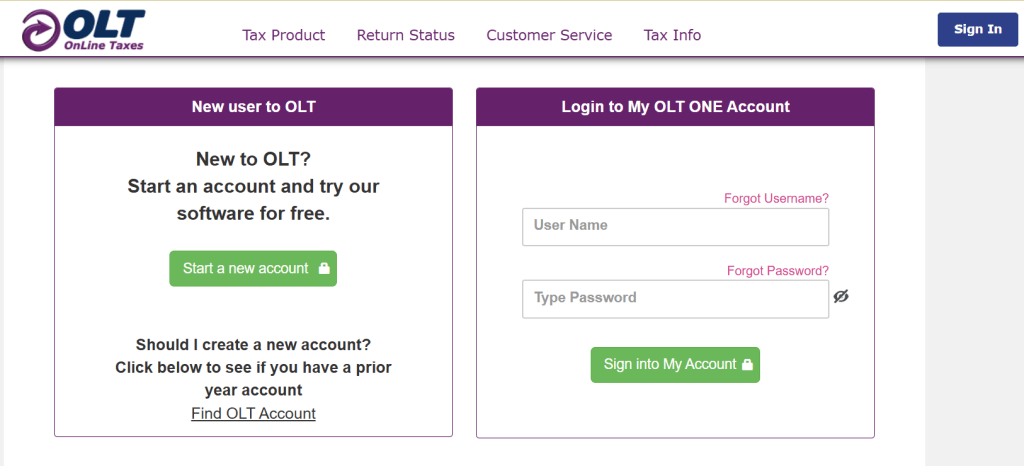
Step 1: Sign up
Step 2: Confirm you need to file 1040-NR
OLT does a great job of determining your filing status based on a few responses early in the process.
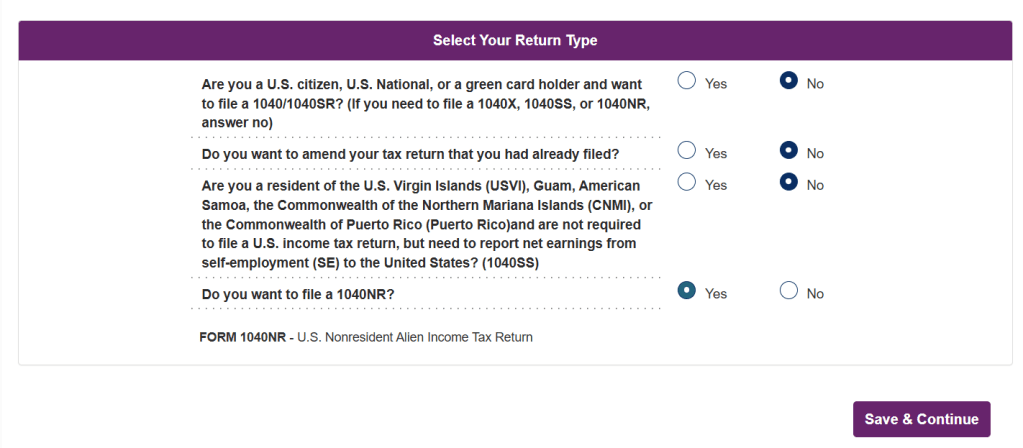
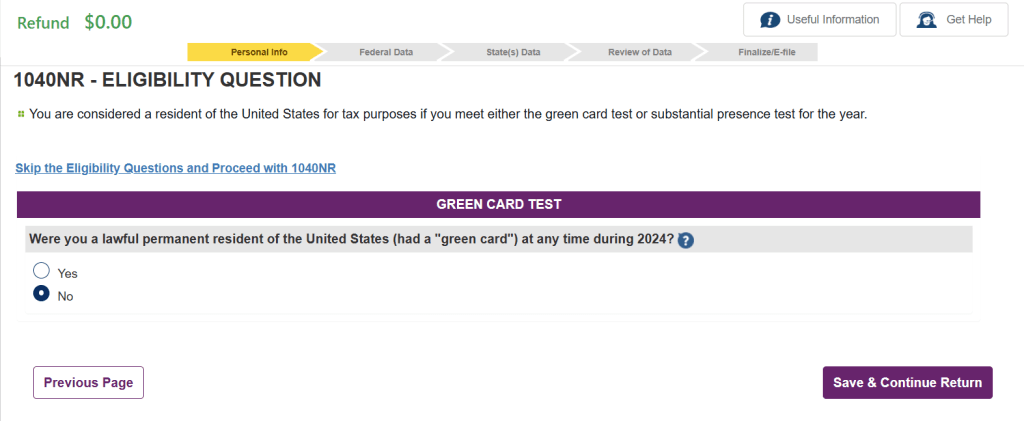

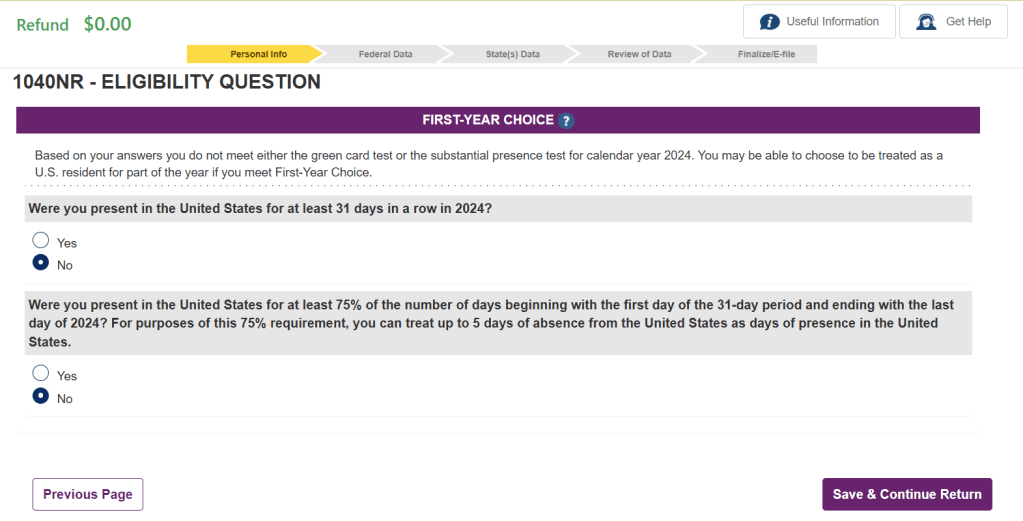
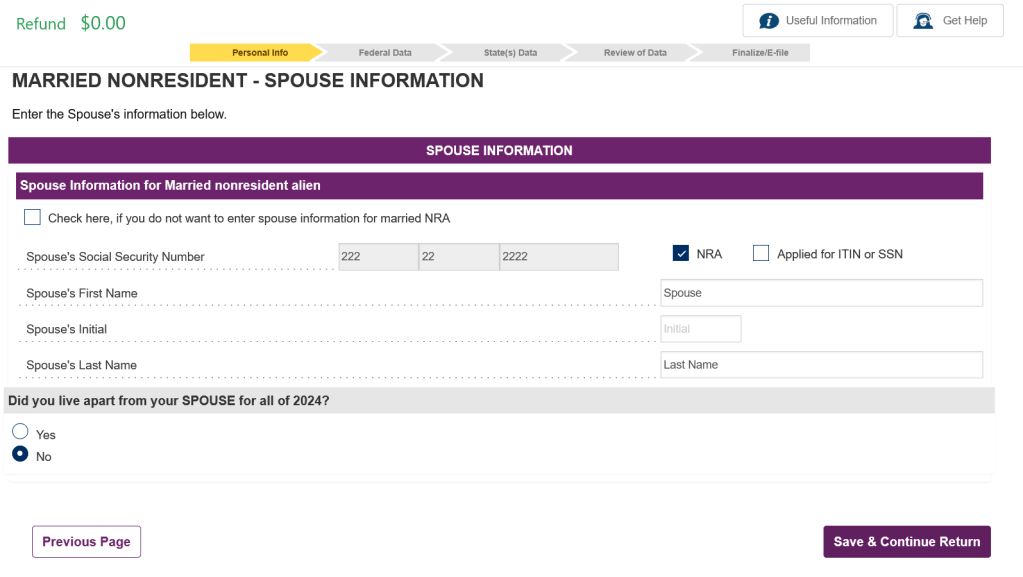
For our situation, we don’t need Forms 8843 and 8840. So we selected “No” for these. Complete your personal details on the next page. 1040-NR only allows for the following filing statuses – Single, Married Filing Separately (MFS) and Qualifying Surviving Spouse (QSS). We selected MFS resulting in both K & S having to file the returns separately. The next page gives you an option to not enter the spouse information for Non Resident Aliens (NRA), but we prefer to keep the information on the tax return incase we need it for anything in the future. No harm if you choose not to enter.
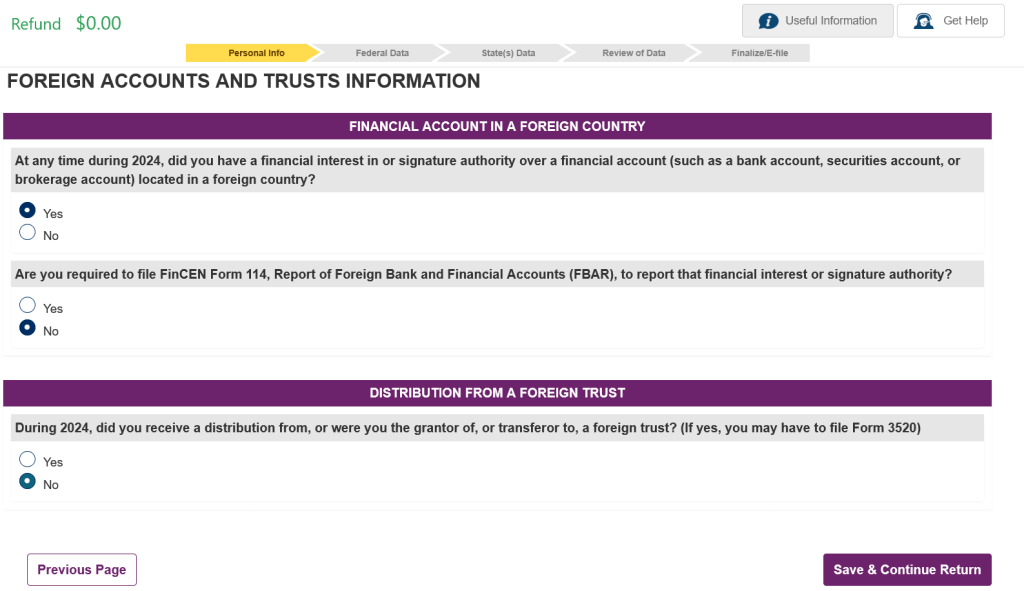
Select the appropriate option for the question on the next page. If you are not in USA, I am sure you have some sort of bank in the country you live in. Don’t worry if you have to select “Yes”. NRAs don’t have any worldwide income reporting to the USA (Yeayyy!!).
We selected “No” for any dependents. K doesn’t think there is any deductions possible for claiming a dependent as a NRA. If this is incorrect, let us know in the comments and we will research further. Since we don’t have any wages in USA, it makes no difference to our return.
Step 3: Select All the Income You Received
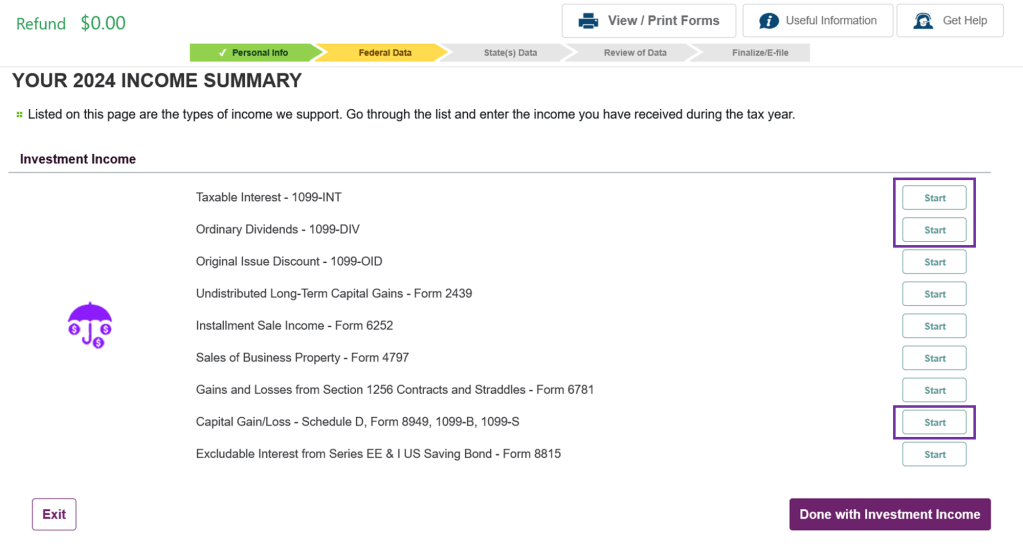
The next page asks you to select all the relevant type of incomes you received. In our case, we received Interests, Dividends, Capital Gains and did some rollovers from our 401k plans to an IRA.

Click on Start for the following items and follow the prompts
Step 4: Reporting Interest Income (1099-INTs)
If you have Interest income from the following – a U.S. bank, a U.S. savings and loan association, a U.S. credit union, a U.S. insurance company or Portfolio Interest (Described in “3. Exclusions From Gross Income” – “Nonresident Aliens” – “Interest Income” and its subsection “Portfolio interest” of Publication 519, U.S. Tax Guide for Aliens) you don’t pay tax on it and there is no need to include it in your income. If NRAs use Form 1040-NR, U.S. Nonresident Alien Income Tax Return, to report their income, then such nontaxable interest income shall not be reported anywhere on Form 1040-NR except in response to question L on page 5 of Form 1040-NR. The erroneous reporting of such interest income on Form 1099 by one of the institutions listed above shall not cause such interest income to be included in the gross income of NRA recipients if such recipients have filed the proper income tax return. So we don’t even bother entering any interest reported on 1099-INT or on 1042-S. Simplifies the number of forms we need to enter!
NOTE: This above statement regarding Interest is true if you are filing 1040-NR as an individual. If you need to file this as a business, we have no experience and please reach out to a tax professional.
Step 5: Reporting Dividend Income (1099-DIV)
Dividends through is a different story. Please enter all the values shown on your 1099-DIV. As NRAs we are not eligible for different rates for qualified dividends, Section 199A, non dividend distributions etc. We usually enter the values as shown on our forms and let OLT take care of it. OLT ignores all the fields except 1a. Ordinary dividends when calculating your taxes.
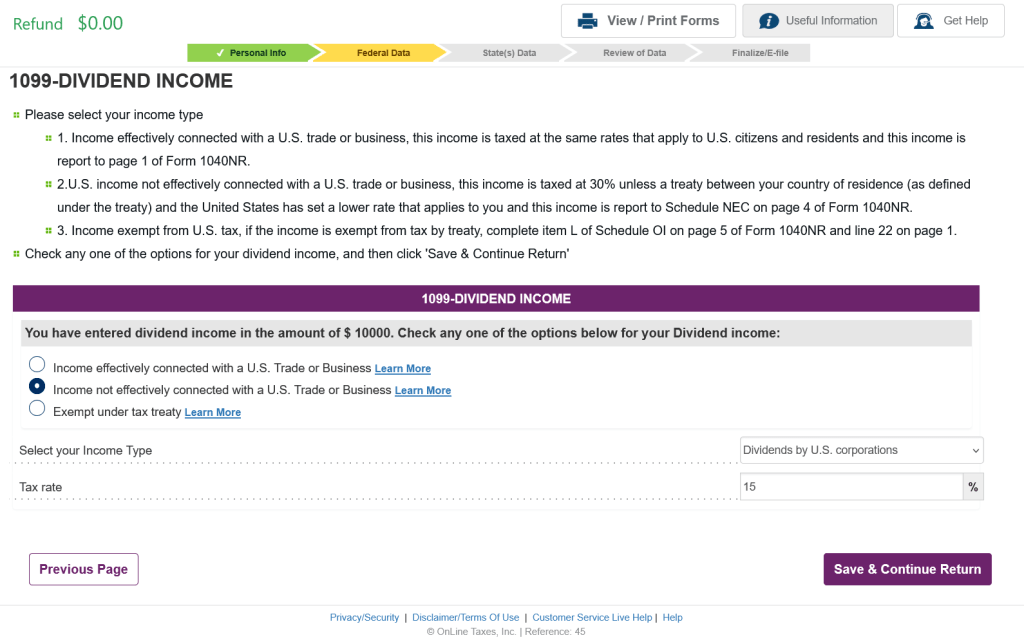
The next screen is very critical and determines what you owe or get refunded for. Please refer to the tax treaty tables (https://www.irs.gov/pub/irs-lbi/tax-treaty-table-1.pdf) to determine what is your tax rate is for dividends and enter than as the tax rate. Also make sure that this income is Not Effectively Connected Income (NECI). If it is Effectively Connected Income, it will be tax at regular income rates. In our case dividends are NECI.
If the next screen is relevant to you, please enter the values.
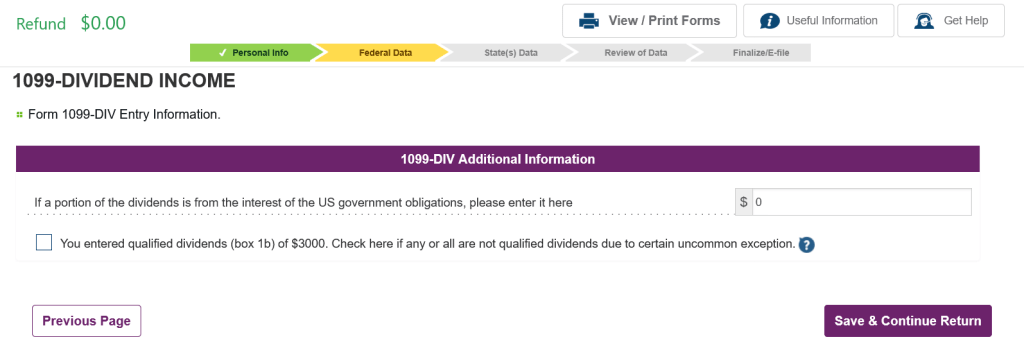
Follow the above steps and enter all the 1099-DIVs you have received.
Step 6: Reporting Capital Gains (1099-B)
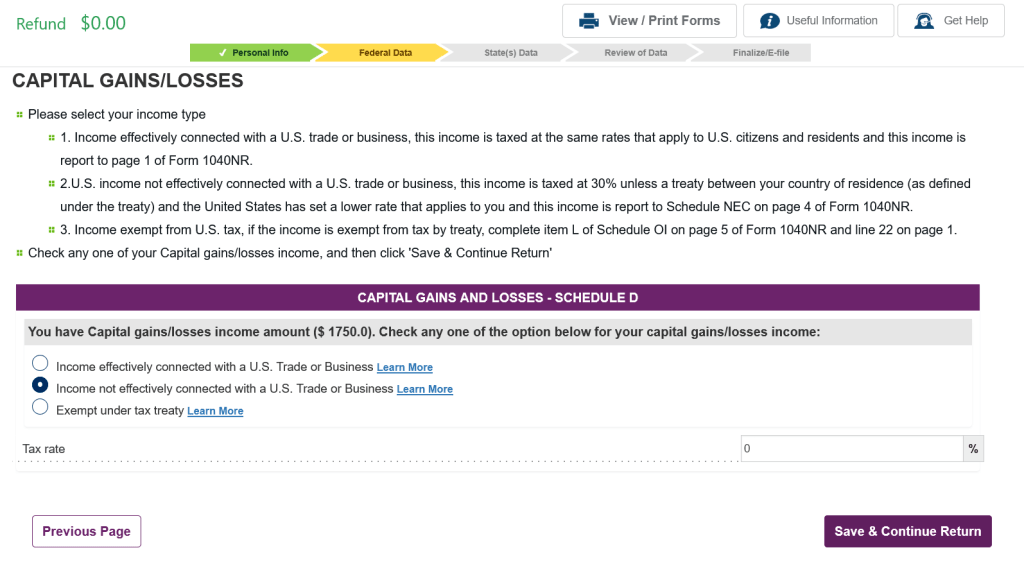
Up next is entering all the 1099-Bs you might have. NRAs don’t owe taxes on any capital gains incurred (short-term and long-term) as long as these conditions are satisfied.
- The capital gains are NECI
- You were present in the US for less than 183 days during the tax year
- Your gains are not from the sale of property
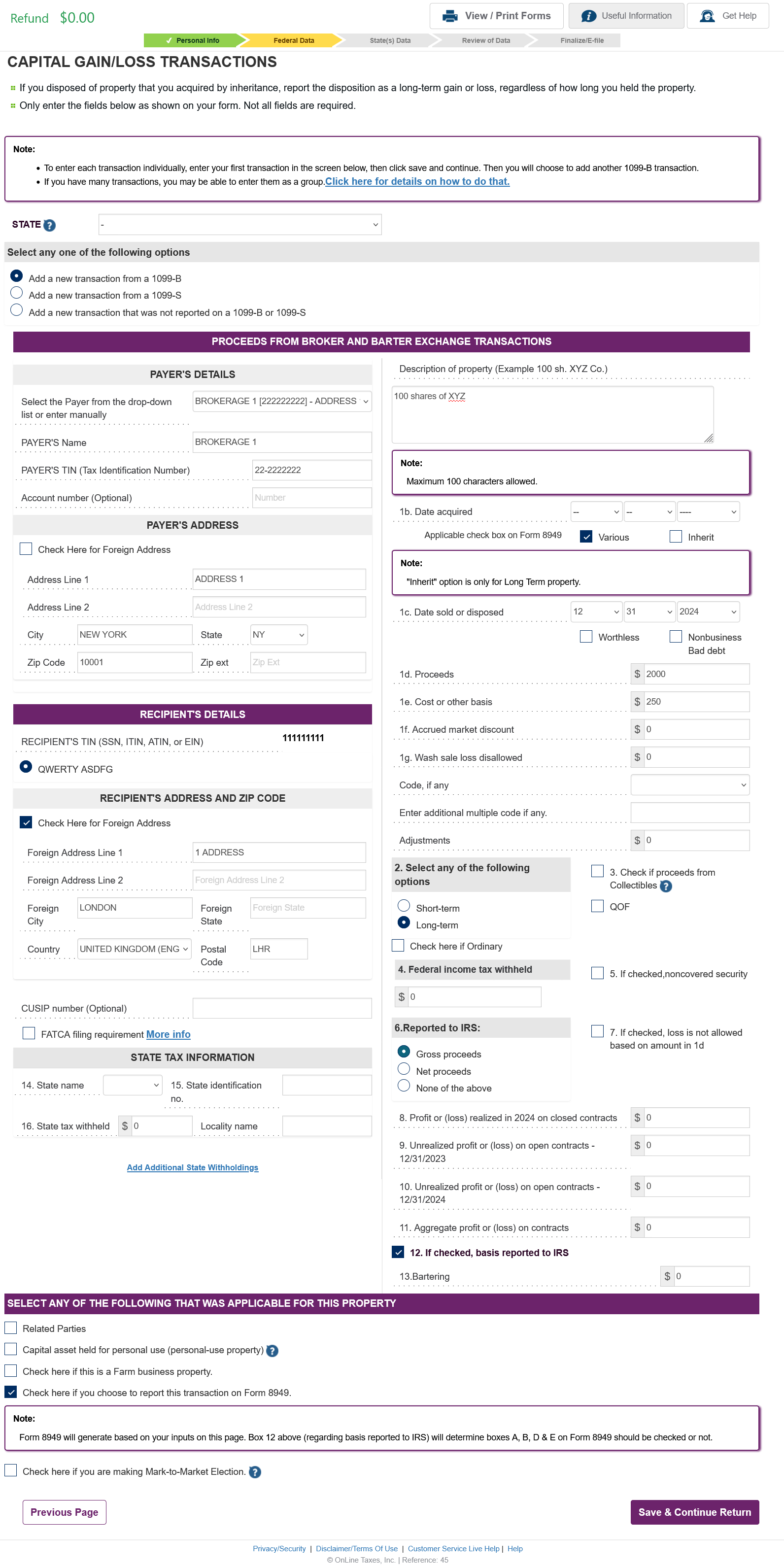
In our case, we don’t meet the substantial presence test, and we won’t be taxed on any capital gains. However, we just chose to enter the 1099-B data in the return and select the tax rate as 0%. OLT based on the data input for the substantial presence test ignores all the 1099-Bs. You can skip entering 1099-Bs as long as it meets the above criteria and save time.
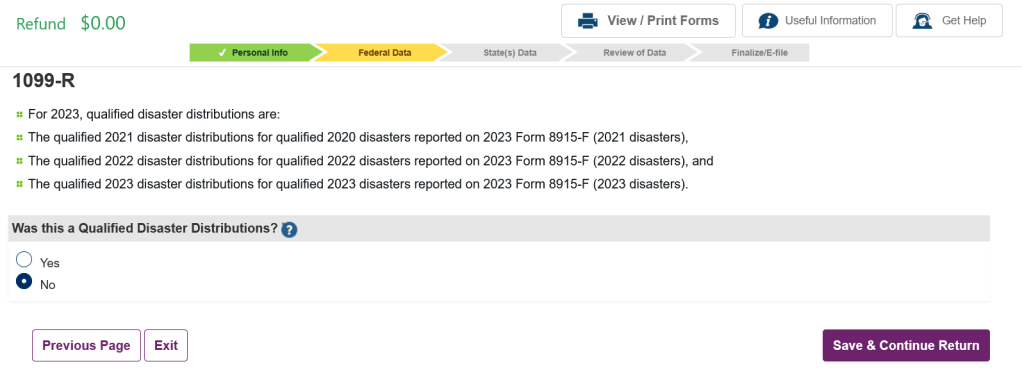
Step 7: Reporting Retirement Account Distributions (1099-R)
Next we tackle the 1099-R. So, far we have only done 401k to IRA direct rollovers. Once we start our Roth Conversion Ladder, the 1099-R data will be different.
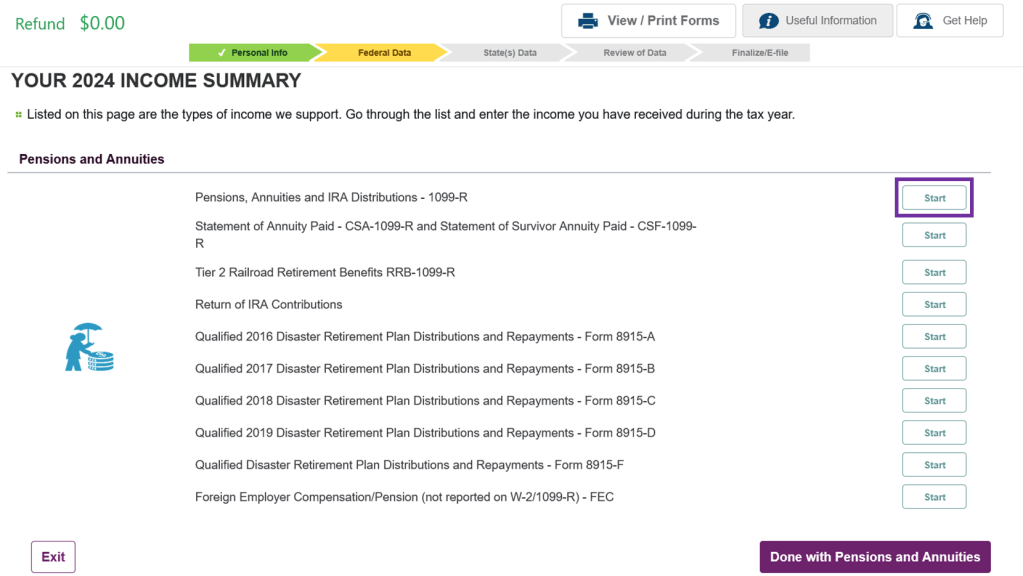
Steps for 401k to IRA direct rollover
Ensure you enter the data as shown in your 1099-R. Pay attention to boxes 1, 2a, 2b, 4. If 2a has value and that is incorrect or you didn’t expect a taxable amount, check with your 401k plan if you got the correct 1099-R. There is an option in the bottom of 1099-R entry page to correct for incorrect taxable amount if needed. Make sure all your 1099-Rs are reported.

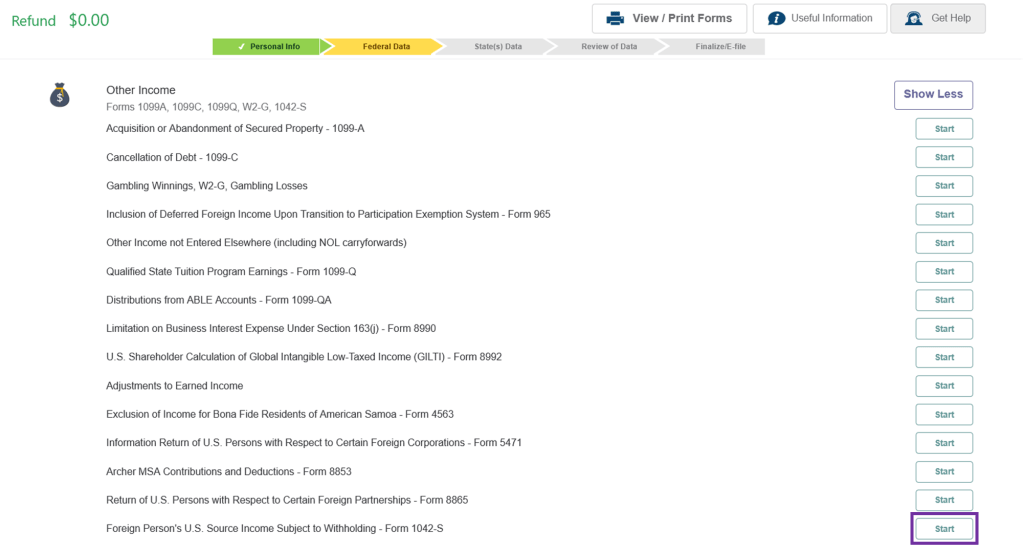
Step 8: Other Income (1042-S)
The final form that we enter is 1042-S. This is located in the Other Income section. Once this is entered we are all set.
Step 9: Deductions, Credits & Taxes
There are loads of deductions possible. This is something we don’t need and not eligible for. So K hasn’t really looked into this. Please use your own research to claim what is allowed and isn’t.
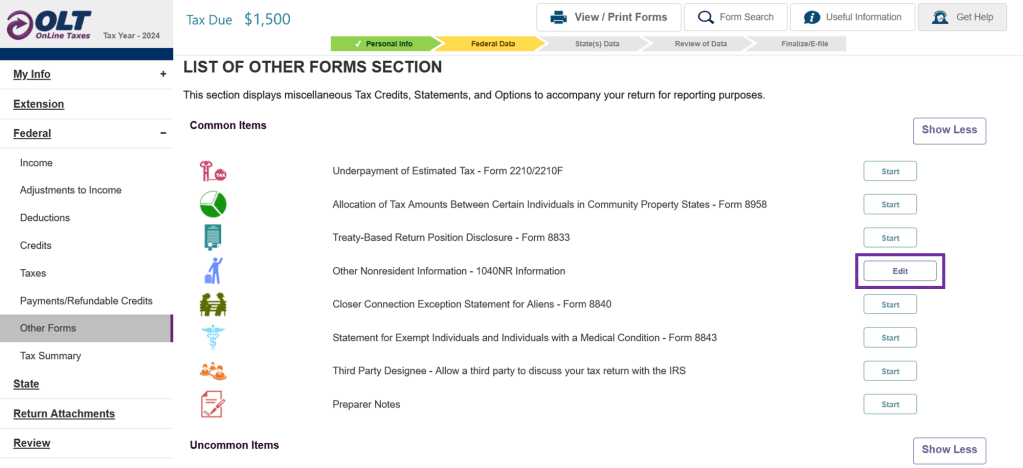
Step 10: Other Forms (Other Nonresident Information – Schedule NEC & Schedule OI)
This is an important form to fill and needs to be submitted along with your 1040-NR. You can find it here
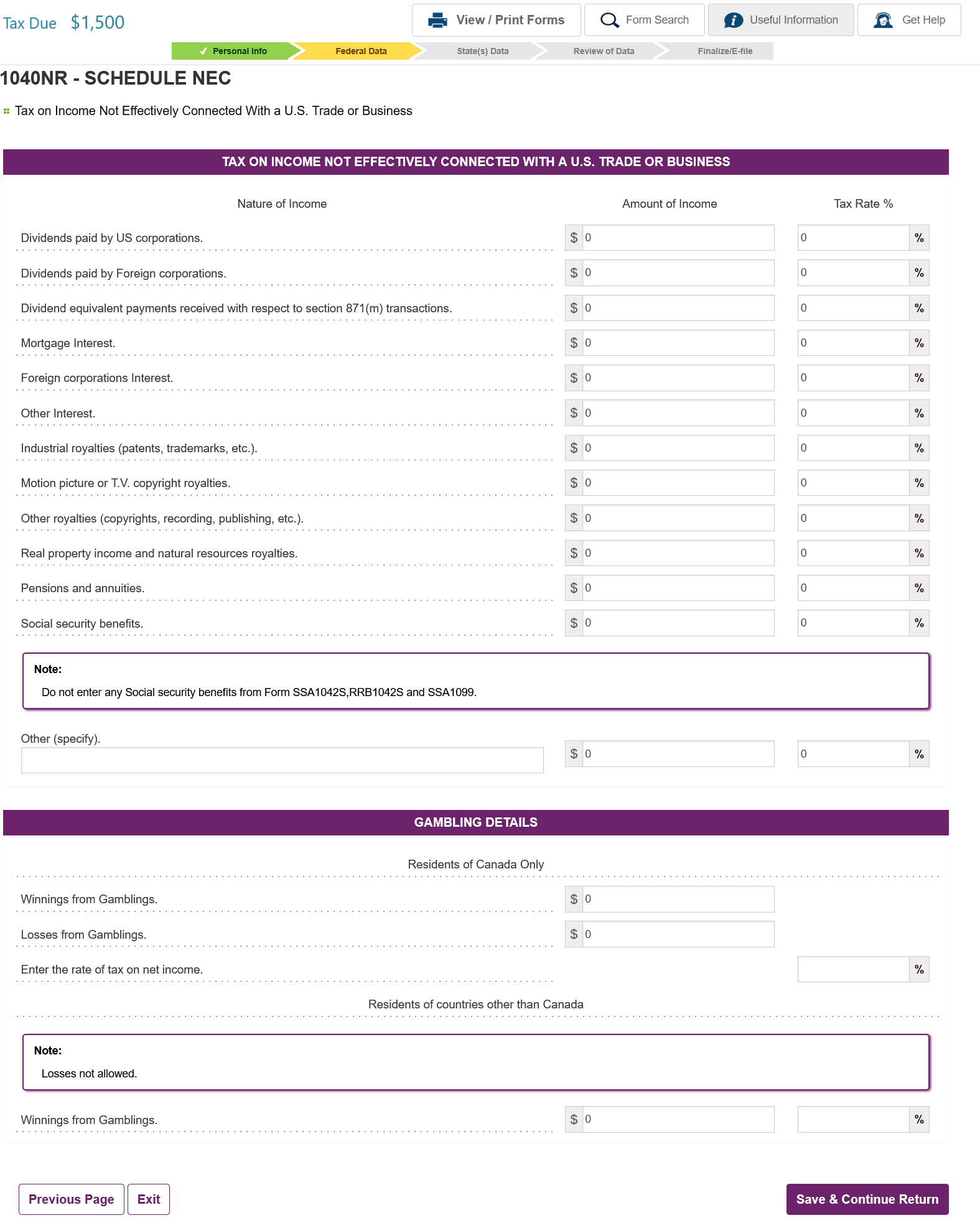
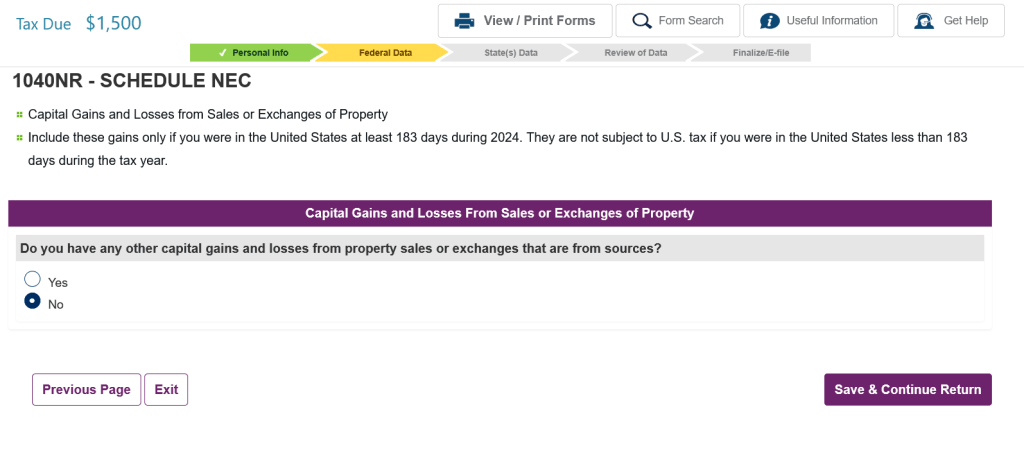
Schedule NEC
If you have entered all the dividends and capital gains you received in Steps 5, 6 and 8, there is not much to enter here. You can just leave all the boxes blank and move to the next page.
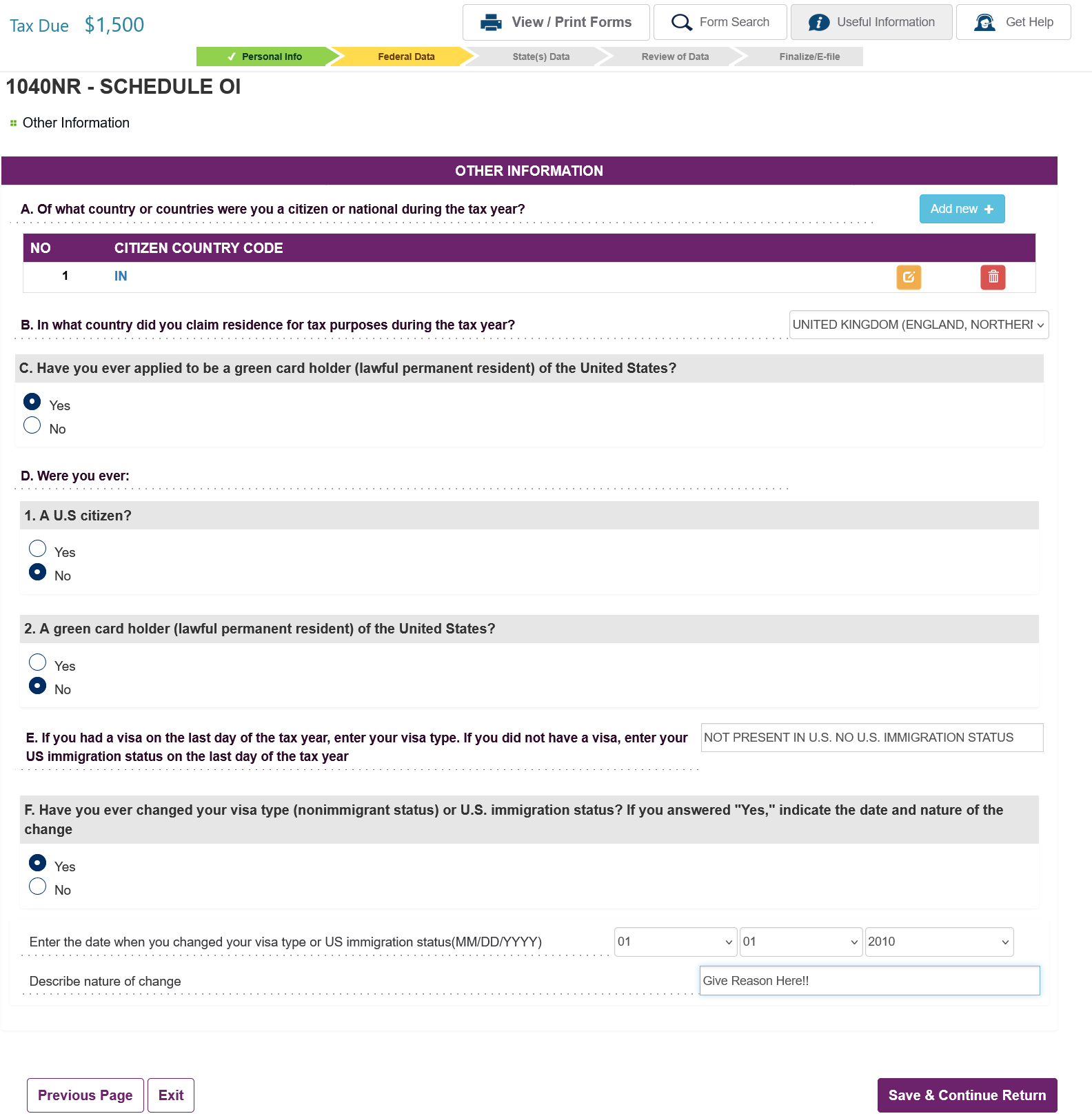
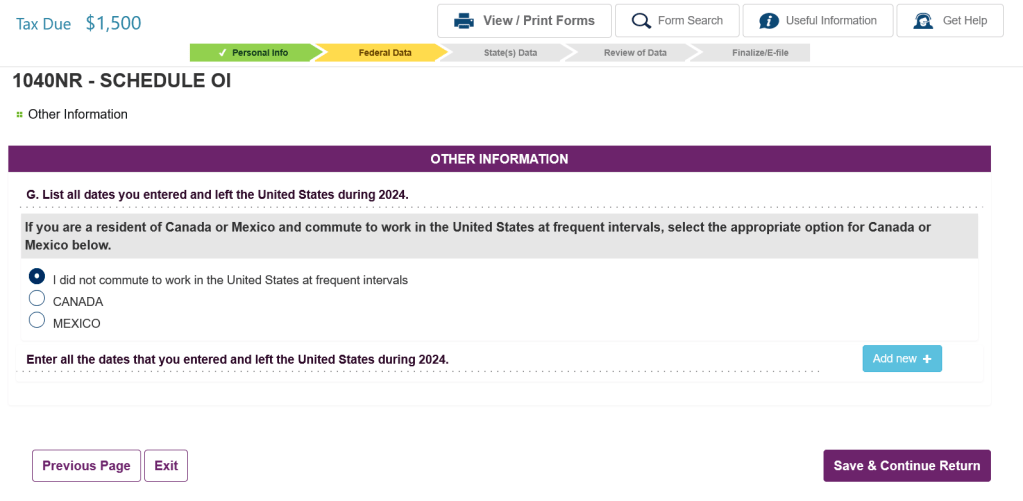
Schedule OI
All questions here are self explanatory.
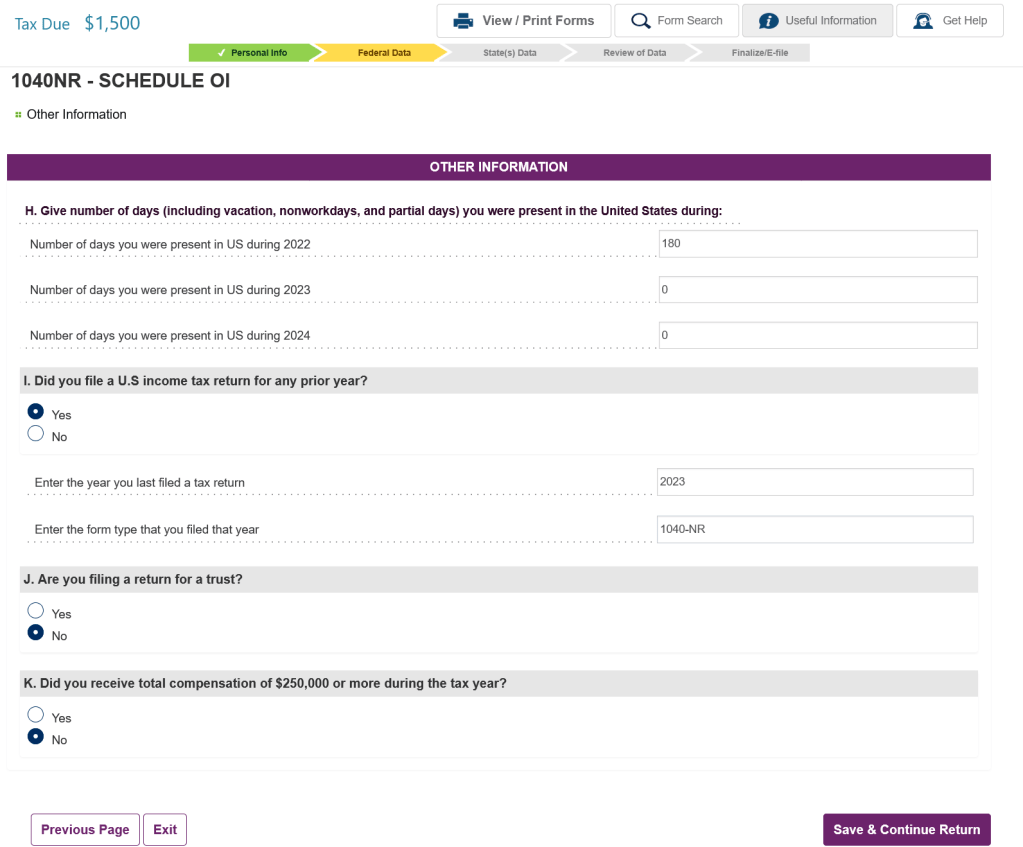
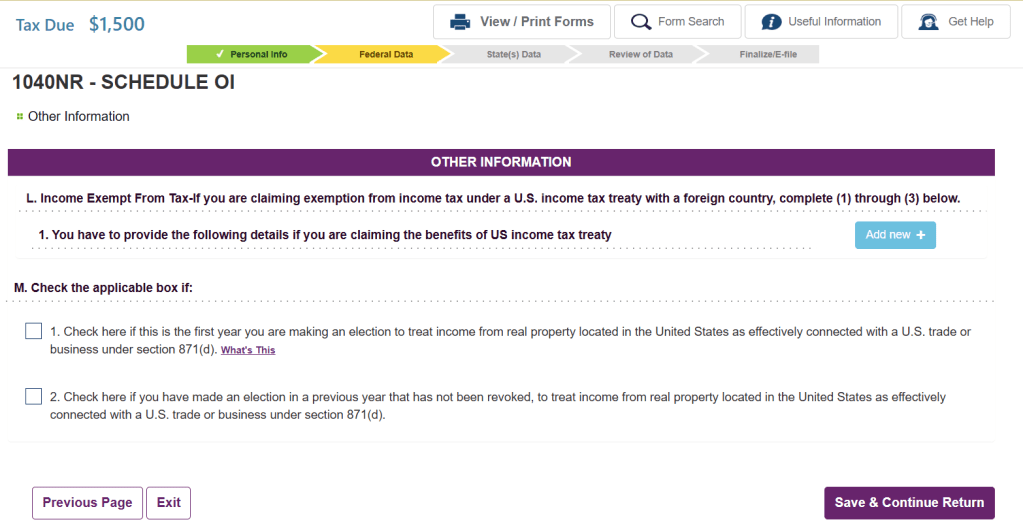
Once you have completed the Schedule OI, you are all set to e-file. OLT will take you through a few more screens talking about how you will pay the taxes (if owed) or how you will get your refund (if owed). Once you complete the next steps, you are all set and have completed your tax liabilities to Uncle Sam.
Please let us know in the comments if there have been any errors in the walkthrough. We will review it and make appropriate changes.
 Retire from 8 to 5
Leave a comment